
Forum How do I...?

Break pages to the right with always 1 blank page at least

melusina.press
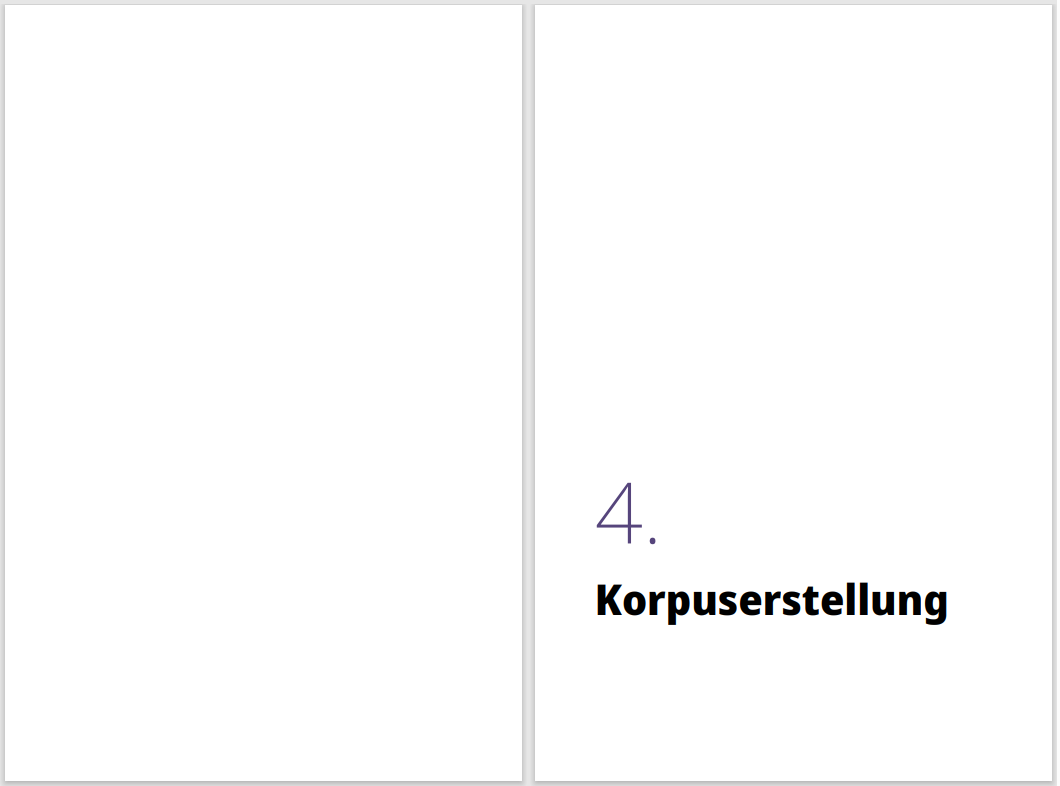
Some of our books have "parts" that combine multiple articles. The design of part headings require an empty page to the left and the part heading to the right, like here:
Screenshot 2025-07-09 152931.png


Because of this the part section element has break-before: right; Unfortunately, this only works if the part section before ends on a right page, because if it ends on a left page, the next part section starts immediately to the right, and there is no blank left page. In this situation, it would actually require 2 blank pages.

I tried to make sure with all kinds of break-after / break-before combinations, applied to both the former and the latter part section, to always enforce a blank left page, before starting with the new section header on the right page.

The html-structure is quite simple:

<section class="part" id="part1"><h1>...</h1>.....</section>
<section class="part" id="part2"><h1>...</h1>.....</section>
  1. Screenshot 2025-07-09 152931.png17.2 kB
markbrown
Hi,

Adjacent breaks don't combine in the way you hoped, unfortunately. Maybe you could try generating a non-empty block with its own page break, after each section except the last? For example:

.part {
    break-before: right;
}
.part:not(:last-of-type)::after {
    display: block;
    content: " ";
    break-before: left;
}


Please let us know if this doesn't work for you.

Cheers,
Mark
melusina.press
Hi Mark,

thank you for the suggestion. Yes, it works.

It would be benefitial, if the additional page-break could be attached to an element of the very section instead of the one before (logically more consistent, but more importantly less follow-up consequences to deal with in our CSS). However, I did not find a solution:
.part:not(:first-of-type)::before {...}
does not work.

Still, your solution does the trick, and we will find a way to deal with the interferences of it with our CSS.
Thx.!
markbrown
> the additional page-break could be attached to an element of the very section

Yes, that's a better idea :-)

Try this:
s::before {
    display: block;
    content: " ";
    break-before: left;
    break-after: right;
}

where 's' selects the elements that should start with a blank left page.
David J Prokopetz
I tried that last one out myself out of curiosity, and while it works well if the document has any front matter, interestingly, it seems to fail if the document starts with one of the affected elements, resulting in a one-page offset which renders the layout of every subsequent occurrence incorrect.
markbrown
> it seems to fail if the document starts with one of the affected elements

The break-before property on the first element determines whether the first page of output is considered by CSS to be a left page or a right page, and it defaults to a right page for horizontal left-to-right documents. If one of the affected elements is at the start of the document, then the first page becomes a left page and everything else is changed accordingly.

This isn't picked up by my PDF viewer, however, and I have to configure that accordingly otherwise it doesn't display facing pages as expected. Perhaps that is what you are seeing?
David J Prokopetz
Hm. I could have sworn there was a PDF property to explicitly indicate whether the first page is a left page or a right page, but examining the spec, it appears that there isn't, at least not independently – it looks like you can only specify that in conjunction with setting a two-column default page layout. So I guess this is less an issue with the output, and more an issue with the target file format not exposing any side-effect-free means of indicating whether the document's first page is a left or right page in the first place. Never mind!